Drupal gives you the APIs to build forms directly by specifying the details of the form. It will create the underlying html for the form provided you just specify the fields you want in it. We discussed the details of building a form in Drupal a previous article.
Usally, we would just need a simple form with a few fields, but there may be cases where there might be too many fields on a single page and the form might look confusing and tedious to fill out. This might not make the best UI for your site and it would be good to break your form into logical sections so that it is easier for the user to fill in the information. One way to break the form into different logical blocks is using the field set, but this usually only works if you have a low number of sections. The other way to organize your form is to make it into a wizard or a multi-page form where the user fills the details on one page and then moves ahead to the next page. In this article we will take a look at how to create a multi-page form in Drupal.
Creating the multipage form module
The first thing we will have to do is create a module in Drupal. To do this, create a folder sites\all\modules\multipageform in your Drupal installation and add the following files to it
multipageform.info
name = multipageform
description = This module creates a multipage form form using Drupal.
core = 7.x
multipageform.module
<?php
/**
 * @file
 * This is the main module file.
 */

 /**
 * Implements hook_help().
 */
function multipageform_help($path, $arg) {

  if ($path == 'admin/help#multipageform') {
    $output = '
' . t('About') . '
';
    $output .= '
' . t('The multipageform module shows how to create a multiple page form using Drupal.') . '

';
    return $output;
  }
}
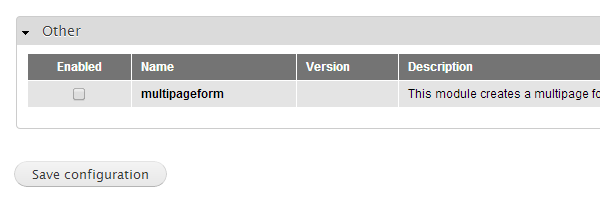
Once you have done this you should be able to see the new module in the module list.You can now enable the module.
Defining the number of pages in the form and the form contents.
Once we have our module ready, let’s start defining the Multipage form. To do that, the first thing we will do is create a menu item which will display our form. We will have to add the hook menu in our module as follows
Continue reading %Building a Multi-Page Wizard-like Form in Drupal%
more 


{ 0 comments... » Building a Multi-Page Wizard-like Form in Drupal read them below or add one }
Post a Comment