Content management systems (CMSs) are among the most used web tools nowadays. Users range from designers and developers, to bloggers and project managers. However, even with a wide range of products on the market, users often neglect to try out new systems and experience new possibilities.
To broaden my horizons, I decided to explore the market and see what other CMSs have to offer. This time I am going to look into ImpressPages, a PHP based CMS built on an MVC engine.
What makes ImpressPages differ from other CMSs is code structure, customizability, the admin panel built on Bootstrap and an inline drag and drop editor. In this step-by-step tutorial, I am going to cover the very first steps of launching a website on ImpressPages.
Downloading and Installing ImpressPages
Download ImpressPages first. It’s important to check if your system meets all the requirements for running the CMS:
- Apache server with “mod_rewrite” (adapt to Nginx as needed)
- PHP 5.3.3 or newer;
- PHP GD library;
- PHP mbstring library;
- PHP curl library;
- PHP PDO library;
- MySQL 5 and higher;
- 30+ MB free disk space;
- ini_set function enabled.
After you create a database in MySQL which ImpressPages will use, unzip the contents of its archive into your web server’s root, or wherever you mean to serve it from, and run it (either via localhost, or through the virtual host you’ve set up, depending on your configuration). The installation process has been recently updated and now takes only two steps instead of six.
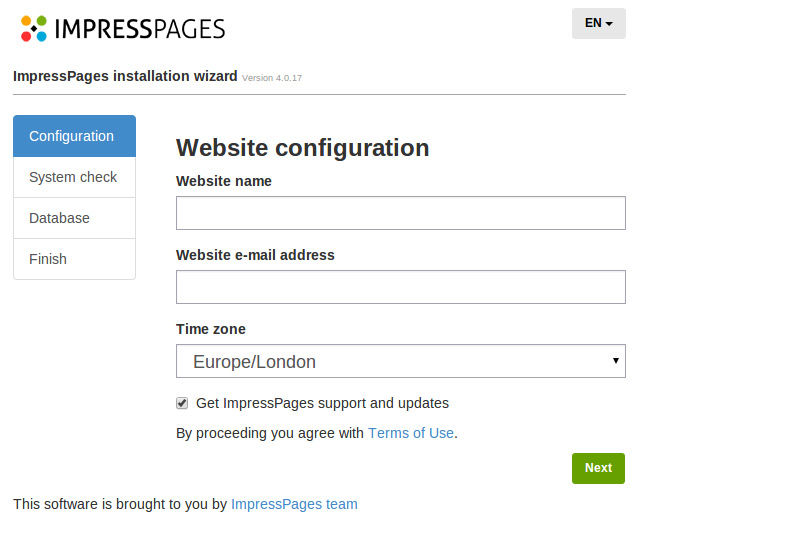
After configuring your site information (website name, email and time zone), you will be automatically transferred to database installation. If your system doesn’t meet all the requirements, an error will be shown with information on what needs to be fixed.
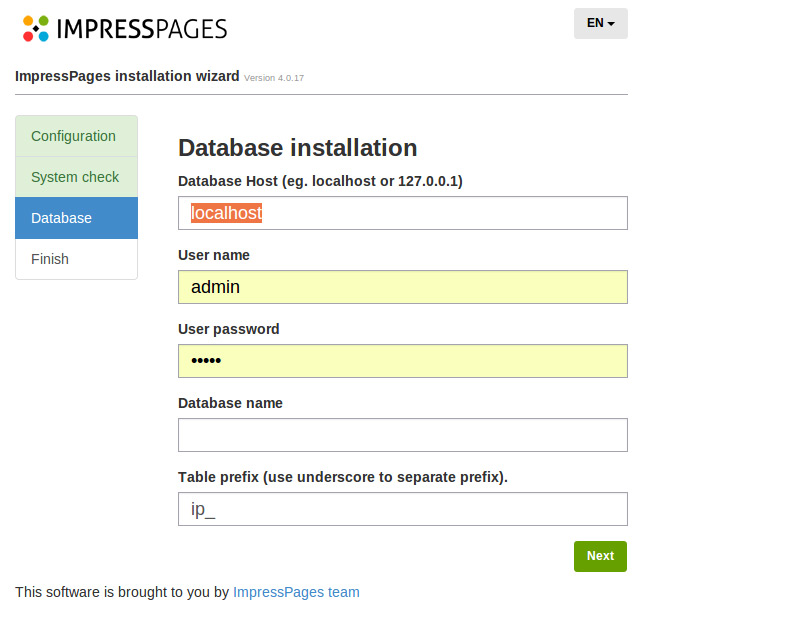
Once the installation is complete, you will be transferred straight to your new website. You’ll be be able to change the administrator’s credentials there.
Continue reading %Getting Started with ImpressPages%
more


{ 0 comments... » Getting Started with ImpressPages read them below or add one }
Post a Comment